To target specific audiences with Instagram ads in 2026, you must shift from manual “interest-stacking” to a signal-based strategy that leverages Meta’s AI. Start by installing the Meta Pixel and Conversions API (CAPI) to feed the algorithm high-quality first-party data from your website.
Use Custom Audiences to retarget past visitors or email subscribers, and build Lookalike Audiences (1-3%) to find new users who mirror your best customers. For cold reach, use Advantage+ Audience, which allows Meta’s machine learning to find your buyers based on how they interact with your creative.
The most critical factor for targeting today is your creative content, as the algorithm now uses your visuals and copy as the primary “filter” to decide which users see your ads. By focusing on high-performing formats like Reels and Carousels, you allow the system to self-optimize and lower your acquisition costs.
From Manual Tweaking to AI Trust
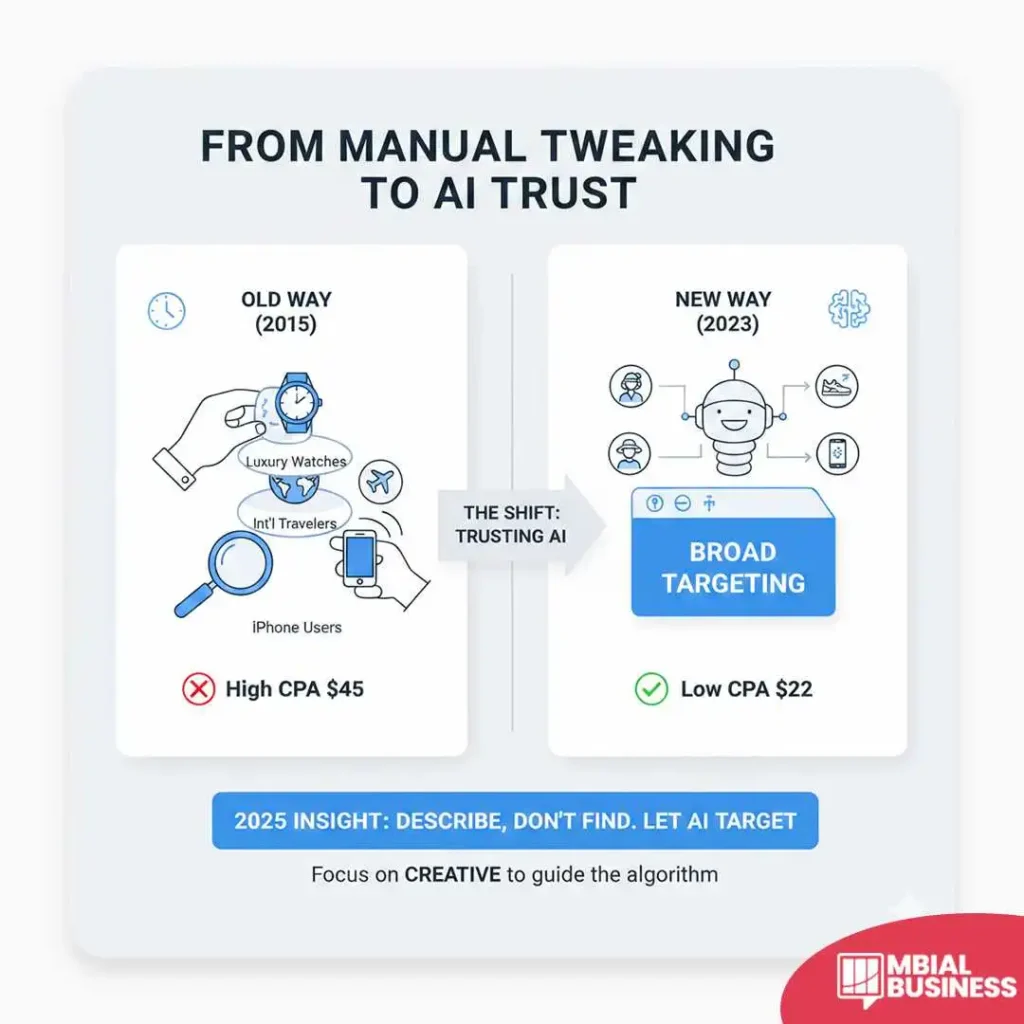
When I first started running ads a decade ago, I spent hours “layering” interests. I’d target “people who like luxury watches” AND “frequent international travelers” AND “users of iPhones.” I thought I was being a surgical genius.
But about two years ago, I had a wake-up call with a boutique skincare client. We were hitting a wall with $45 acquisition costs. In a moment of frustration, I did something that felt like heresy at the time: I turned off all the interest filters. I left the targeting “Broad”—only age, gender, and location.
I discovered that the algorithm was actually smarter than I was. Within 48 hours, the cost per acquisition dropped to $22. Why? Because by removing my “expert” constraints, I let the Meta AI look at the actual engagement data. The machine noticed that people buying the cream weren’t just “beauty lovers”; they were also high-performance athletes looking for sun protection. I never would have guessed that.
The lesson I learned is that in 2026, your job isn’t to find the audience; it’s to describe them so well in your ad creative that the AI can’t help but find them for you.
Leverage the "Big Three" Audience Types:
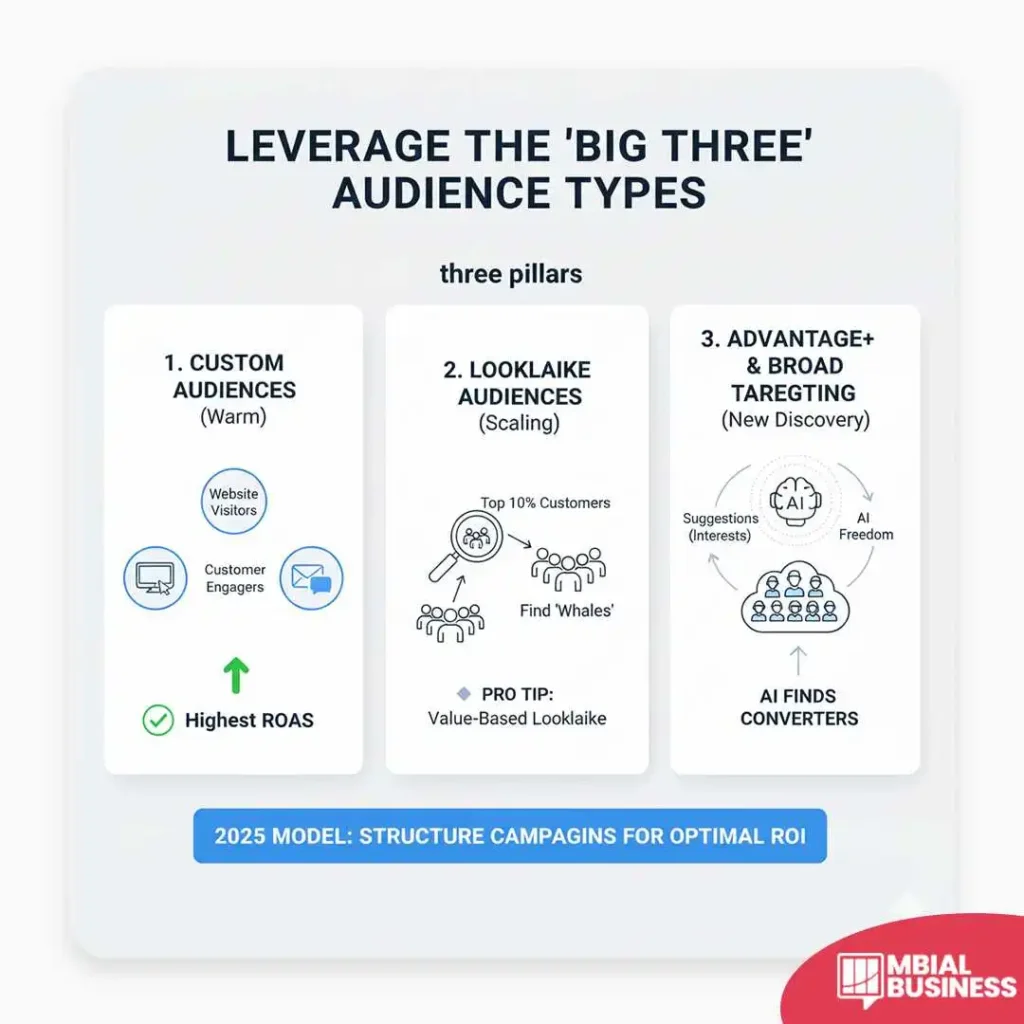
To get the best ROI, I always structure my campaigns around these three pillars.
Custom Audiences (Warm Leads):
These are people who already know you. In my experience, these offer the highest ROAS (Return on Ad Spend).
Website Visitors:
Target users who viewed specific product pages but didn’t buy.
Customer Lists:
Upload your CRM email list. According to Hootsuite, 90% of users follow at least one business, making them primed for these touchpoints.
Instagram Engagers:
People who liked, commented, or saved your posts in the last 365 days.
Lookalike Audiences (Scaling)
I use these when a client says, “Find me more people exactly like my top spenders.”
Pro Tip:
Don’t just make a Lookalike of “all visitors.” Make a Value-Based Lookalike of your top 10% highest-spending customers. This tells Meta to find “whales,” not just “window shoppers.”
Advantage+ & Broad Targeting (New Discovery):
Meta’s 2025 targeting model relies heavily on AI. By using Advantage+ Audiences, you give the system “suggestions” (like interests), but you give it the freedom to go outside those boundaries if it finds a pocket of high-converting users elsewhere.
2. Creative is the New Targeting:
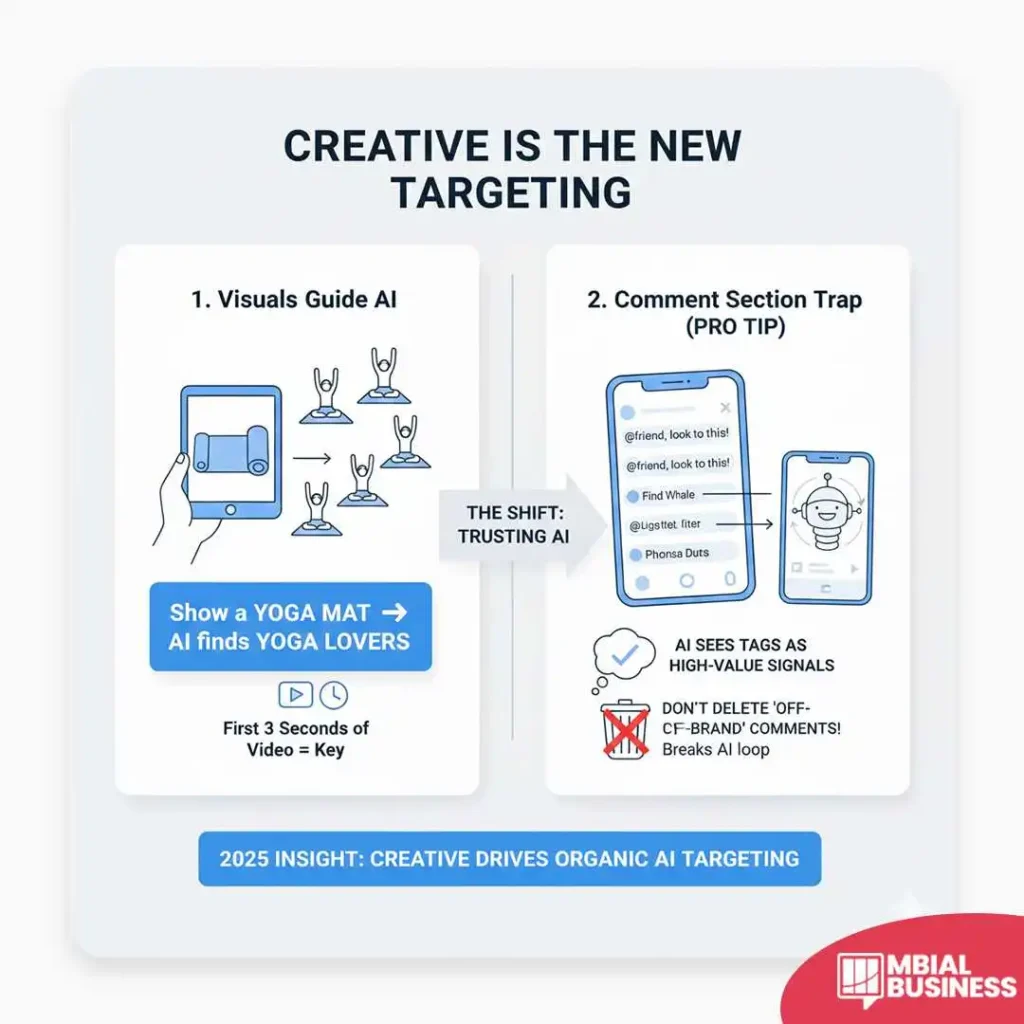
If you show a picture of a yoga mat, Instagram will show your ad to people who like yoga. It’s that simple now. The “smell of the engine” in modern advertising is the First 3 Seconds of your video.
Pro Tip:
The “Comment Section” Trap An expert secret I’ve learned is to monitor your ad comments daily. If you see people tagging friends who don’t fit your “ideal” persona, don’t delete them! The algorithm sees those tags as high-value signals. I once had a client try to hide “off-brand” comments, and the ad reach immediately tanked because we broke the organic engagement loop the AI was using to find new pockets of users.
3. Common Pitfalls to Avoid
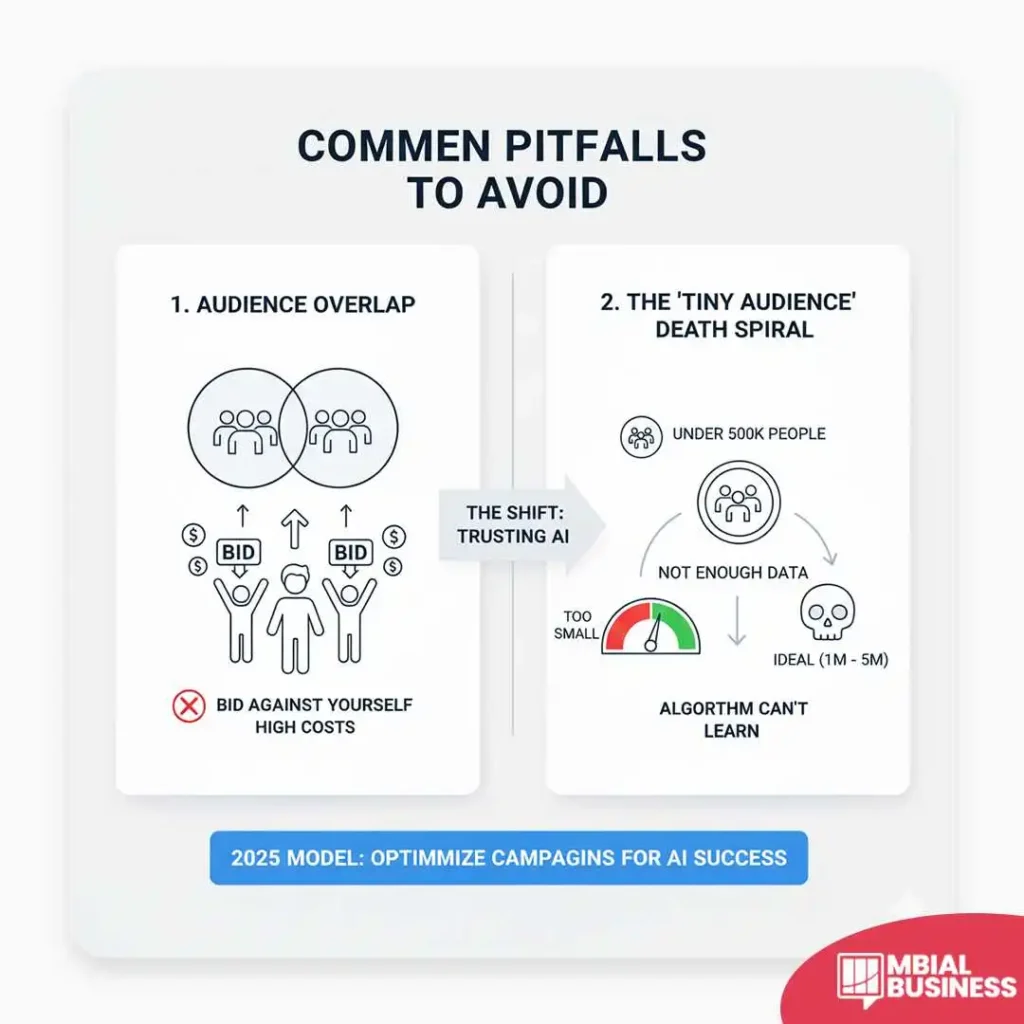
I’ve seen thousands of dollars wasted on these two mistakes:
Audience Overlap:
Running two different ad sets targeting the same people. This causes you to bid against yourself, driving up your costs.
The "Tiny Audience" Death Spiral:
If your audience is under 500,000 people, the algorithm doesn’t have enough data to learn. I usually aim for a “green” needle in the Audience Definition tool—typically between 1 million and 5 million for broad campaigns.
Conclusion & Next Steps:
Targeting on Instagram is no longer about “hacking” the system with hidden interests. It’s about feeding the machine high-quality data and letting the AI do the heavy lifting.
Your next step:
Go into your Meta Events Manager and verify that your Conversions API (CAPI) is active and sending “Green” health signals. If the algorithm isn’t receiving clean data from your website, no amount of clever targeting will save your campaign.
Frequently Asked Questions (FAQ):
1. What is the minimum budget I need to target effectively?
While you can technically start with as little as $5 per day, I’ve found that the “learning phase” of the algorithm usually requires a bit more gas in the tank to gather data. For most of my clients, I recommend starting with at least $20 to $30 per day per ad set; this ensures you get enough daily impressions for Meta’s AI to actually learn who is clicking and who is scrolling past. If your budget is too thin, the system won’t have enough “signals” to optimize your targeting, and you’ll likely see your costs per click remain frustratingly high.
2. Should I use broad targeting or specific interests?
In my 10 years of doing this, the answer has shifted: for sales and lead generation, broad targeting is now the undisputed winner. When you target broadly (limiting only age, gender, and location), you allow Meta’s AI to use your creative content as the primary targeting tool, often resulting in a lower cost per result because you aren’t bidding against everyone else for a specific “interest” keyword. However, if you are a very niche brand—like a local shop for vintage typewriter enthusiasts—starting with specific interests can help “seed” the algorithm with the right kind of users before you eventually scale to a broader audience.
3. How often should I update my target audience?
I discovered early on that “tinkering” too much is the fastest way to kill a campaign’s momentum. You should generally avoid changing your audience settings more than once every two to three weeks unless the performance has completely flatlined. Every time you make a significant change to your targeting, the ad set goes back into the “Learning Phase,” which can cause performance volatility. Instead of changing the audience, I usually suggest testing a new creative asset (like a new Reel or image) to see if that refreshes the results for the existing group.
4. Does my organic content affect who sees my ads?
Absolutely, and this is an “insider” detail most beginners miss: your organic engagement acts as a roadmap for your paid ads. If your organic posts are consistently shared by suburban parents, Meta’s “Advantage+ Audience” will naturally lean toward that demographic when you start running ads, even if you don’t explicitly tell it to. This is why I always tell clients that a “clean” organic following—one made of actual potential customers rather than bot accounts or random followers—is the secret foundation of a high-performing ad account.
5. Why is my "Reach" high but my "Conversions" low?
Whenever a client shows me a report with massive reach but zero sales, I immediately look at the “Audience Definition” needle. This usually happens when your targeting is too broad for a message that is too specific, or vice versa. If you are reaching 100,000 people but your offer only appeals to 100 of them, the algorithm is essentially “spraying and praying.” To fix this, I recommend tightening your creative “hook” to be more exclusionary—explicitly stating who the product is for in the first three seconds—so you aren’t paying for impressions from people who have no intention of buying.