Why Facebook Groups are a Game-Changer for E-commerce:
- Deeper Customer Relationships: Groups facilitate more personal and direct interactions, allowing you to connect with customers on a human level.
- Enhanced Brand Loyalty: Members feel more invested in a brand they’re part of, leading to increased loyalty and repeat purchases.
- Superior Organic Reach: Facebook’s algorithm often favors Group content over Page content, meaning your posts are more likely to appear in members’ news feeds.
- Valuable Customer Insights: Direct discussions, polls, and Q&A sessions provide unparalleled insights into customer needs, preferences, and pain points.
- Word-of-Mouth Marketing: A vibrant community encourages members to share their experiences and recommend your brand to others.
- Exclusivity & Belonging: Offering a private space makes members feel special, fostering a sense of community.
Key Principles for a Successful E-commerce Group
To truly thrive, your Facebook Group must prioritize community over constant promotion:
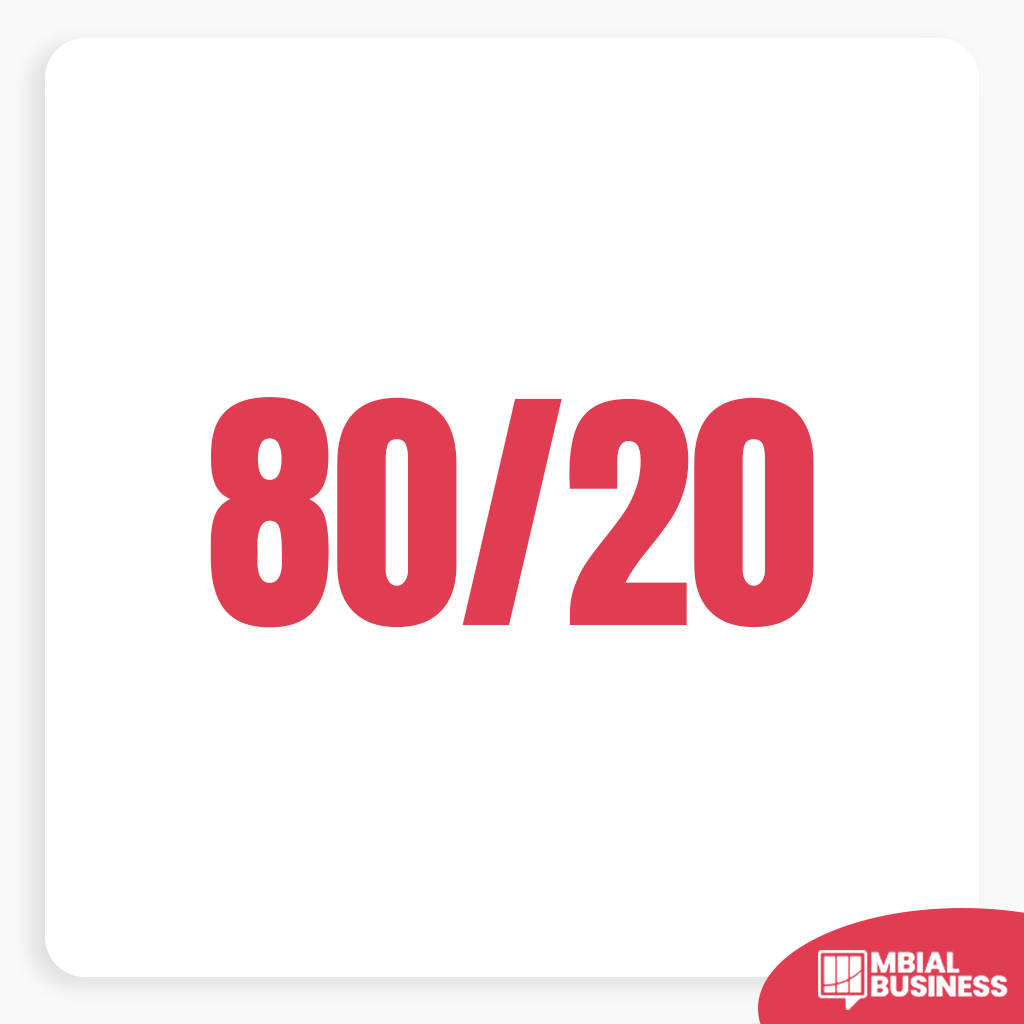
The 80/20 Rule: Dedicate 80% of your content and interactions to providing value, fostering discussion, and building relationships. Limit direct promotional content to about 20%. People join groups for community, not sales pitches.
Clear Rules & Strong Moderation: Establish explicit group rules to maintain a positive, welcoming, and spam-free environment. Actively moderate discussions to enforce these rules.
Consistent Engagement: An active group needs active management. Regularly post, respond to comments, and encourage member-to-member interaction.
Value-First Approach: Always think about what value you’re providing to your members, whether it’s entertainment, education, support, or exclusive access.
Setting Up Your WooCommerce-Focused Facebook Group:
1. Define Your Niche & Purpose:
- Examples: If you sell sustainable fashion, your group could be “Eco-Chic Style Collective.” If you sell gourmet coffee beans, “The Daily Grind: Coffee Enthusiasts.”
- A clear purpose attracts the right members and guides your content.
2. Choose Your Group Type:
Private Group (Recommended): Members must be approved to join. This fosters exclusivity, encourages deeper sharing, and makes moderation easier. It’s ideal for building a loyal customer community.
Public Group: Anyone can see posts and members. More difficult to control spam and maintain a tight-knit community feel.

3. Optimize Your Group Details:
Name: Clear, memorable, and relevant to your niche.
Description: Clearly state the group’s purpose, what members can expect, and a soft call to action to check out your WooCommerce store.
Cover Photo: Visually appealing and reflective of your brand and the group’s theme.
Rules: Crucial for setting expectations and maintaining order. Post them prominently.
Membership Questions: Use 2-3 questions to screen new members (e.g., “What’s your biggest challenge with [niche]?”, “How did you hear about us?”). This helps filter out spammers and gather insights.
Content Strategies & Engagement Ideas for Driving Sales:
Interactive Posts: Polls & Surveys, Quizzes & Trivia, “This or That” Questions.
Live Videos: Product Demos, Q&A Sessions, Behind-the-Scenes, Live Sales Events.
User-Generated Content (UGC): Encourage sharing, run contests, spotlight members.
Exclusive Content & Offers: Early Access, Group-Exclusive Discounts (with trackable codes), Giveaways & Contests.
Educational & Informative Content: Tips & Tricks, How-to Guides, Share Relevant Blog Posts.
Discussions: Ask open-ended questions, initiate themed threads.
Customer Support (within limits): Allow questions, redirect complex issues.
Designated Promotion Days: Consider specific days for promotional content.

Driving Traffic from Your Group to Your WooCommerce Store:
Value-Driven Links: Include relevant links to your WooCommerce product pages or blog within valuable content (use UTM parameters).
Exclusive Discount Codes: Create unique codes for group members and link to your store.
Live Sales & Demos: Frequently mention and link to products during live sessions.
Call-to-Actions (CTAs): Incorporate soft CTAs in relevant posts.
Shop Tab Integration: Direct members to your Facebook Shop tab.
Promoting Your Facebook Group:
On Your WooCommerce Website: Add prominent links and consider a pop-up invite.
Email Marketing: Include a link in your newsletters and transactional emails.
Other Social Media Channels: Cross-promote your group on your other platforms.
Facebook Ads: Run targeted ads promoting your group (not just products).

Measuring Success:
Facebook Group Insights: Monitor growth, engagement, and top contributors.
WooCommerce Analytics (with UTMs): Track traffic and conversions from group links.
Feedback: Monitor discussions for insights and sentiment.
Common Mistakes That Kill Facebook Group Growth for WooCommerce Sellers
Most WooCommerce sellers who start a Facebook Group abandon it within 90 days. The group either stays empty, fills up with spam, or generates engagement but no sales. Here are the mistakes that cause this and how to avoid them.
Posting only promotional content
A group that only shares product links trains members to ignore every post. The ratio that works is roughly 80% value — tutorials, tips, answers to questions, behind-the-scenes content — and 20% direct promotion. If every post has a “buy now” link, people stop reading.
No onboarding for new members
When someone joins, they land in a stream of existing posts with no context. Set up a pinned welcome post that explains what the group is for, what kind of content members can expect, and how to get the most out of it. Include a link to your store and your most useful post. This single step dramatically improves retention.
Ignoring the algorithm
Facebook deprioritizes groups that post inconsistently. Posting 7 times in one day then nothing for two weeks signals low quality. A consistent cadence of 3-5 posts per week — even short ones — keeps your group visible in members’ feeds and signals to Facebook that the group is active and worth surfacing.
Not connecting group activity to your WooCommerce store data
Your Facebook Group and your WooCommerce store should inform each other. Install Facebook Pixel on your WooCommerce site and create a Custom Audience of group members who have visited your store. This lets you retarget people who are already engaged with your community — your highest-intent audience — with direct product ads at a fraction of the cost of cold traffic campaigns.
How to Turn Group Members into Paying Customers
Engagement in your Facebook Group means nothing if it doesn’t convert. These are the specific tactics that move members from followers to buyers.
The pinned offer post: Keep a pinned post in your group that offers a members-only discount. Update it monthly. Members who are on the fence about buying often need just one more reason — a group-exclusive code gives them that.
Live Q&A sessions: Host a live session in your group once a month where you answer questions about your products or niche. Lives generate 6x more engagement than regular posts and keep you visible to the full membership. At the end, always mention your current offer or product launch.
Feature customer posts: When a customer shares a photo of your product, repost it in the group. Social proof from peers is more persuasive than anything you write yourself, and it encourages other members to share their purchases too.